
Product
PKI management
PKI management with TLSPilot brings public and internal certificates together on one management host. Public certificates come from ACME providers such as Let's Encrypt, internal ones from your Enterprise CA (AD CS) or the built-in Private CA.
PKI management across ACME, Enterprise CA and Private CA
Your TLSPilot license covers the software. The certificates themselves come from the issuers you choose, because TLSPilot does not sell certificates.
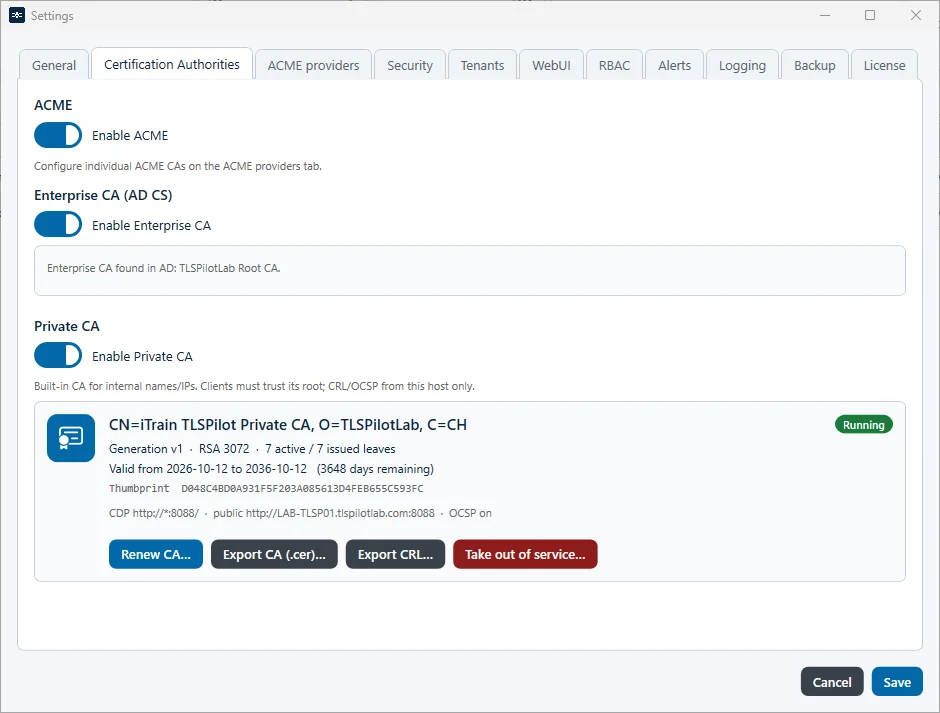
On the tab Certification Authorities in the settings you see which issuers are enabled. The issuer of a certificate cannot be changed later, so to switch you create a new certificate and copy the deployments to it.
Inventory on the host
The dashboard is your PKI management at a glance: it lists every certificate with its issuer type, so you see which ones come from ACME, the Enterprise CA or the Private CA and when each one is renewed next.