TLSPilot
Shorter certificate lifetimes and how TLSPilot keeps up
Shorter certificate lifetimes are already here: since 15 March 2026 a public TLS certificate may run 200 days at most, and from 15 March 2029 only 47 days. TLSPilot renews these certificates in time on your own host and deploys them without agents, so nobody has to remember the next date.
What changes and when
The CA/Browser Forum set the steps in Ballot SC-081: since 15 March 2026 public TLS certificates may run 200 days at most, from 15 March 2027 only 100 days and from 15 March 2029 only 47 days. The reuse of a domain validation shrinks with them, from 2029 to only 10 days.
With 47-day certificates, each one is renewed 8 to 12 times a year. A renewal by hand once a year does not fit that, and whoever still renews by hand will sooner or later miss one.
From 2029 practically every renewal needs a new domain validation, so DNS API access or port 80 must work permanently. TLSPilot proves control with DNS-01, HTTP-01 or TLS-ALPN-01 on every renewal.
How TLSPilot handles shorter certificate lifetimes
- TLSPilot gets public certificates from ACME providers and internal ones from your Enterprise CA or the Private CA.
- It renews each certificate early in its renewal window. If the CA offers ARI (ACME Renewal Information), TLSPilot follows the window the CA suggests.
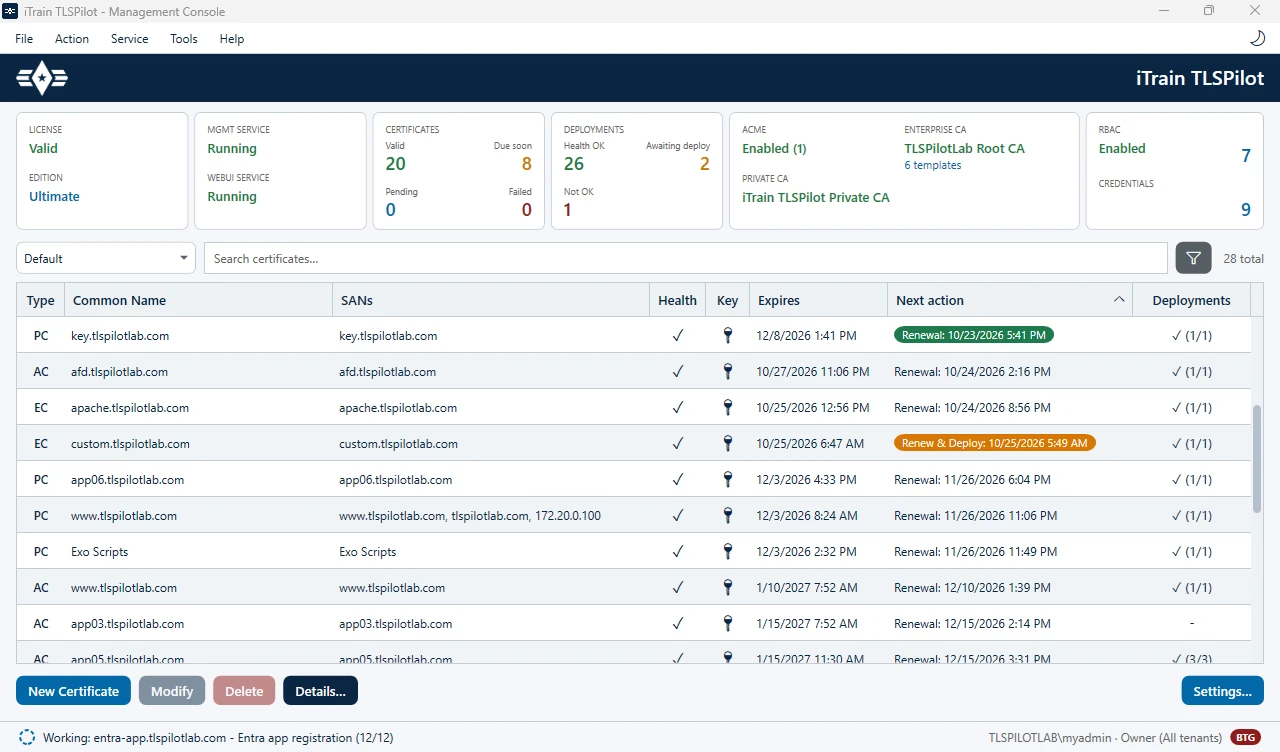
- The renewal itself does not touch your targets. The next daily cycle, at 02:00 by default, deploys the new certificate without agents and checks that it sits correctly.
- If you force a renewal, or if a target's certificate would expire before the next cycle, TLSPilot renews and deploys in one pass.
- If a renewal or a deployment fails, an alert tells you, by mail from the Standard edition and also in Teams, Slack or by webhook from Professional.
Internal certificates follow the same path: for a new Private CA certificate TLSPilot suggests a validity of 47 days, and it renews and deploys it like a public one. More on the timing: certificate renewal automation.