RBAC · 9.1
Break-the-glass accounts
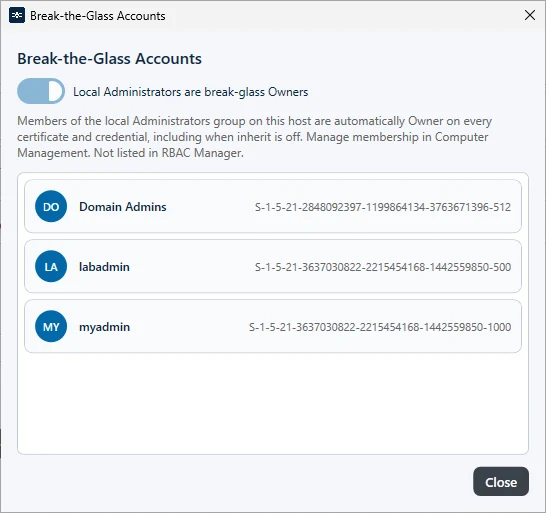
All members of the local Administrators group on the management host always have full access to TLSPilot, even if they have no role. Break-the-glass applies to Windows sign-ins, that is, the Desktop Admin console and the WebUI with Active Directory. It does not apply to Entra ID sign-ins. This ensures that access can be restored at any time. If you are signed in with such an account, a red BTG icon appears at the bottom right of the Desktop Admin console. To see all break-the-glass accounts, click Settings…, open the tab Security and click Show break-the-glass overview… under Break-the-Glass Accounts. Break-the-glass access follows the RBAC setting; there is no separate switch.