
RBAC · 9.4
Permissions for a single certificate
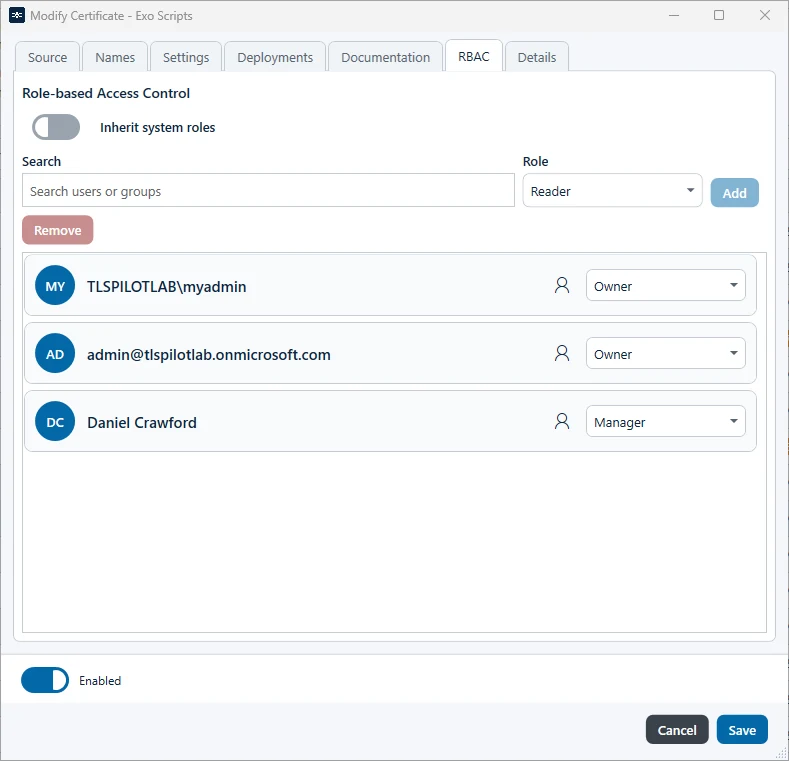
The tab RBAC of a certificate, a deployment and a credential has the title Role-based Access Control and the same layout as the RBAC Manager: search, role and Add on one row, Remove below, and the users and groups as cards in one list. Besides the system roles, you can grant permissions for individual certificates, for example so that a user can only see or manage specific certificates.
- Double-click the certificate in the list and open the tab RBAC.
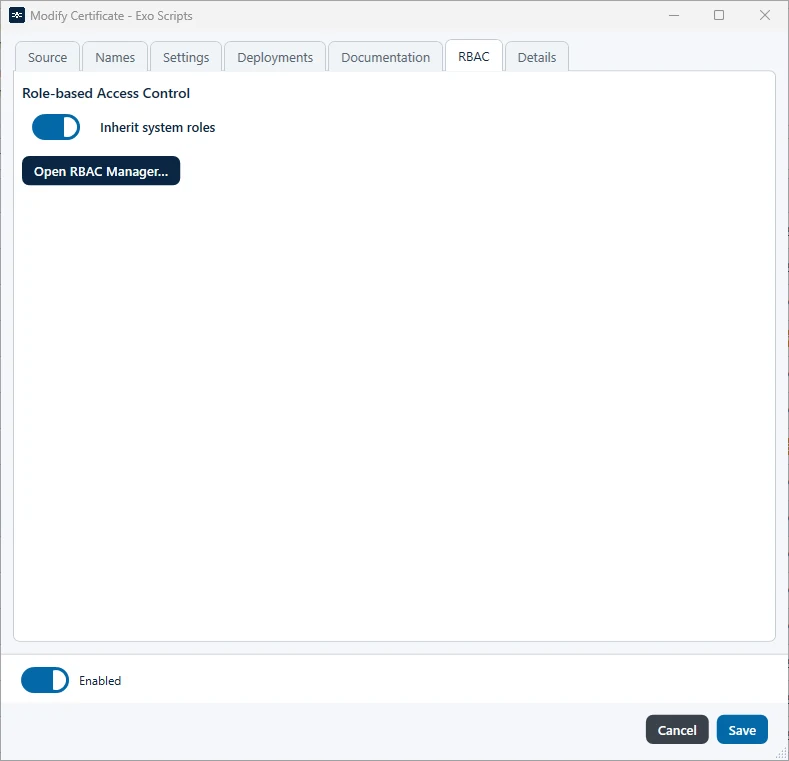
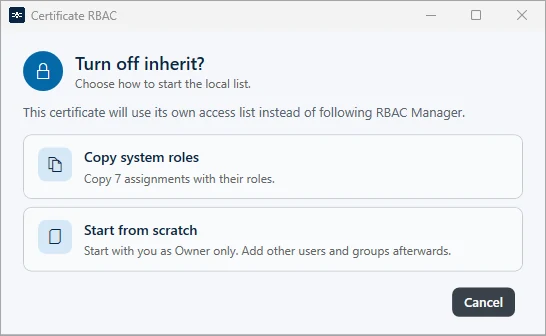
- Switch off Inherit system roles. TLSPilot asks how to start the list of the certificate:
- Copy system roles: Copies the existing system roles into the list. You can change or remove each entry afterwards.
- Start from scratch: Starts with you as the only Owner.
- Add users or groups with their role as described above and click Save.
A user who only has permissions for individual certificates does not see the dashboard tiles and only sees the certificates for which they have permissions.