
Backup and restore · 14.2
Create a backup manually
On this page
On the tab Backup, you can create both kinds of backup. If you have unsaved changes, TLSPilot first asks Save settings before backup? Click Yes to include them, No to back up the settings already stored by the service, or Cancel. You can also choose File, Backup configuration… and select Regular backup or Migration backup.
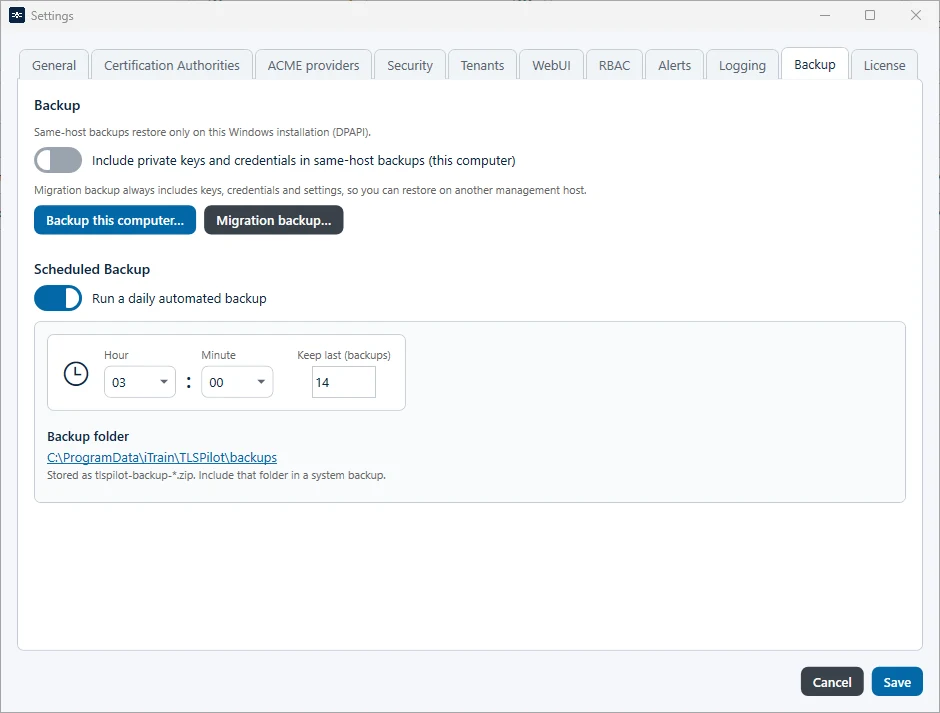
- Backup this computer…: Select the location and click Save. To include private keys and credentials, switch on Include private keys and credentials in same-host backups (this computer) beforehand. This setting also applies to scheduled backups.
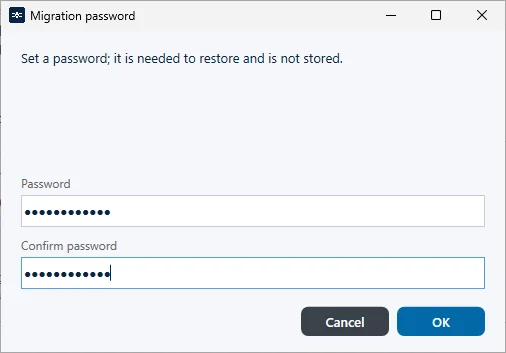
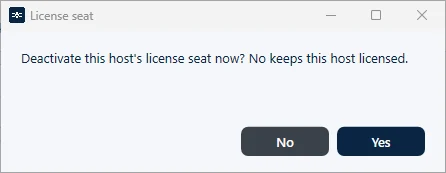
- Migration backup…: Enter the password twice, click OK, select the location and click Save. The password must be at least 12 characters long and contain upper- and lower-case letters, a digit and a special character. It is not saved, so keep it in a safe place. For a license activated online, TLSPilot then asks users who may manage the license whether to deactivate the license seat of this host on license.itrain.ch. The license can only be activated on the target host after this seat has been deactivated. The default is No, so the source host keeps working, see Figure Question whether to deactivate the license seat. If you click Yes, there is no grace period: after the seat has been deactivated, TLSPilot shows License deactivated. The TLSPilot services will now be stopped and the Management Console will close. After OK, it immediately stops the WebUI service and then the management service and closes the Desktop Admin console, so that you can activate the new management host with the same license. In the WebUI, the page TLSPilot services stopped appears instead. If a service does not stop, TLSPilot names the service that is still running and the console stays open, see chapter License and activation.
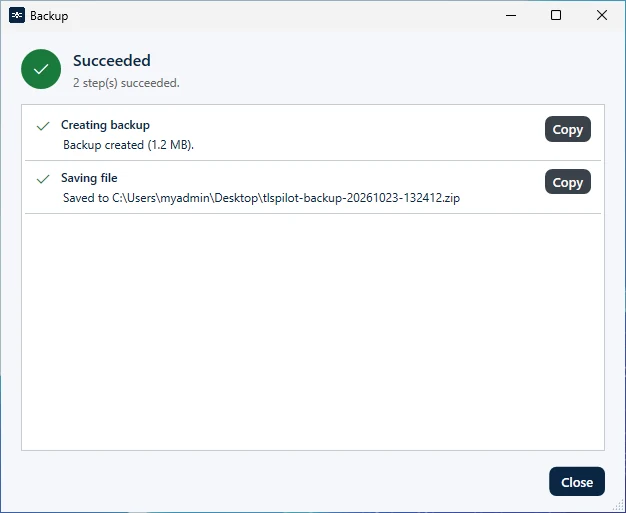
The result dialog shows the steps of the backup and the path of the saved file, see Figure Result of the backup.
If TLSPilot cannot read an item, for example a credential secret, a deployment password or a private key that cannot be decrypted on this computer, it saves the other items as a partial backup. The dialog then shows Completed with warnings with <n> items not included., one Warning row Not included: <item> - <reason> per item and Saved to <path> (partial backup). A partial manual backup sends no alert; the audit log records it as a warning. If a manual backup fails completely, TLSPilot sends Backup failed. When you uninstall TLSPilot, Setup offers Create a Migration Backup before uninstall; enter a password and choose where to save the file. This migration backup shows the same Warning rows.