Features
Certificate management software
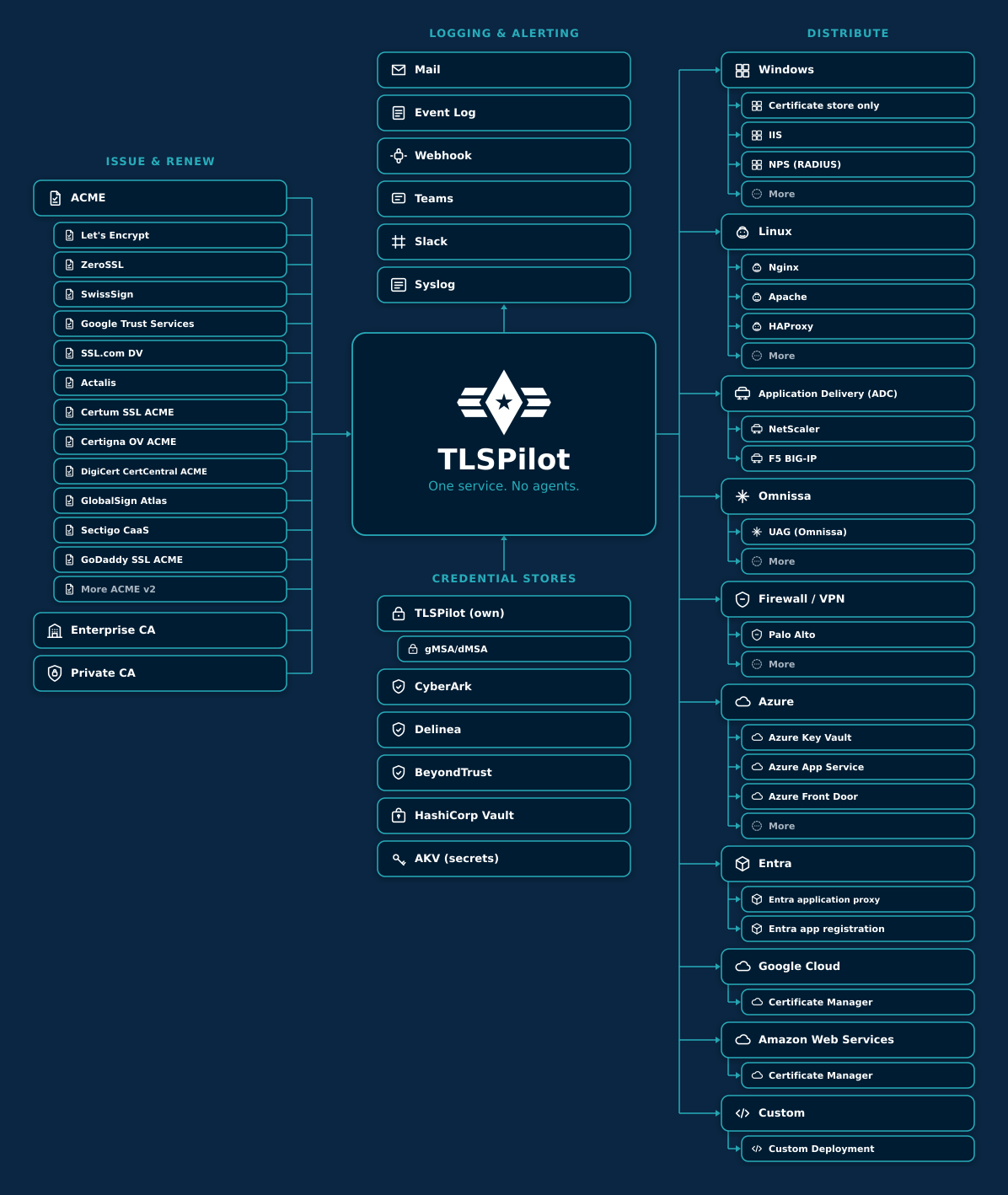
TLSPilot is certificate management software that runs on your own management host. It takes over the whole certificate lifecycle without agents and tells you when something needs attention.
One host for all certificates
You manage everything in the Desktop Admin console on the management host, and from the Enterprise edition also in the WebUI in your browser. Both consoles follow the same structure, so what you learn in one also works in the other.
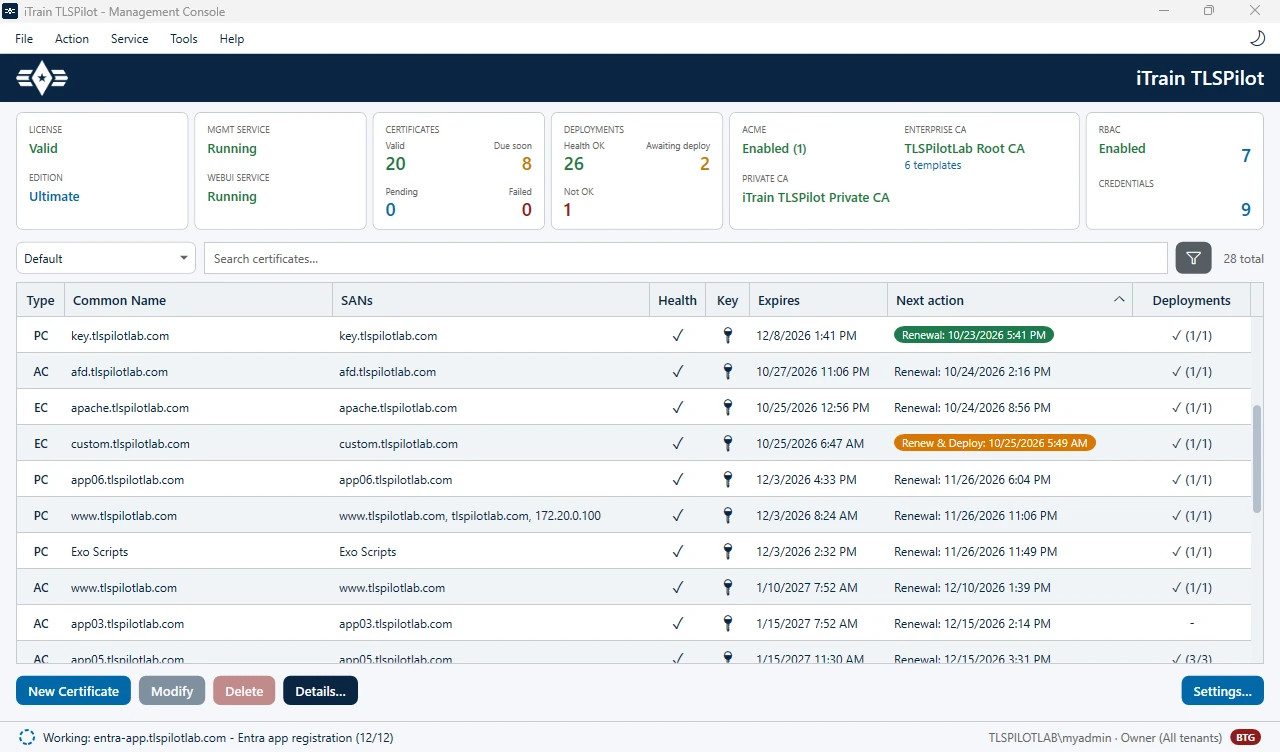
All your certificates, internal and public, in one list: status, next renewal and where each one is deployed.
Issuers
As certificate management software for public and internal certificates, TLSPilot gets public certificates from ACME providers such as Let's Encrypt and internal ones from your Enterprise CA (AD CS) or the built-in Private CA. Which issuers your edition includes is shown on the editions page.
Which edition fits depends on the number of certificates and deployments and on the targets you need. The Community Edition is free and covers two certificates on Windows targets such as IIS and the certificate store.
This page describes the software itself. If you want to know which phases a certificate goes through, read our explanation of the certificate lifecycle.