Appendix: WinRM and SSH setup · 20.2
WinRM outside the domain
For a target in a workgroup, in a DMZ or in a domain without trust, Kerberos is not available. Set up an HTTPS listener (port 5986) as described below: TLSPilot then uses it automatically, from the next run you start yourself, and the credential and the data are protected by TLS. Without an HTTPS listener, TLSPilot falls back to port 5985 with Negotiate (NTLM) encryption; in this case, TCP 5985 must be allowed and the target must be in TrustedHosts.
- On the target, create a certificate for the server name, for example with TLSPilot from the Private CA, and import it into
LocalMachine\My. - Create the HTTPS listener:
New-Item -Path WSMan:\localhost\Listener -Transport HTTPS -Address * -CertificateThumbPrint <thumbprint> -Force - Allow TCP 5986 from the management host only:
New-NetFirewallRule -DisplayName "WinRM HTTPS" -Direction Inbound -Protocol TCP -LocalPort 5986 -RemoteAddress <IP of the management host> -Action Allow - Use a local account of the target in the format
.\svc-tlspilotorSERVER\svc-tlspilot, member of the local group Administrators. For local accounts other than the built-in Administrator, remote UAC filtering applies; setLocalAccountTokenFilterPolicyto 1 only if the dry run reports Access is denied. - On the management host, add the target to TrustedHosts, as narrowly as possible:
Set-Item WSMan:\localhost\Client\TrustedHosts -Value "dmz-web01.example.net" -Concatenate -Force. Do not use*. - The management host must trust the issuer of the listener certificate, and the certificate must be issued for the host name entered in the deployment; otherwise the validation fails and TLSPilot falls back to port 5985. Optionally, test with
Test-WSMan dmz-web01.example.net -UseSSL, then run the dry run and check that the result shows WinRM over HTTPS (5986).
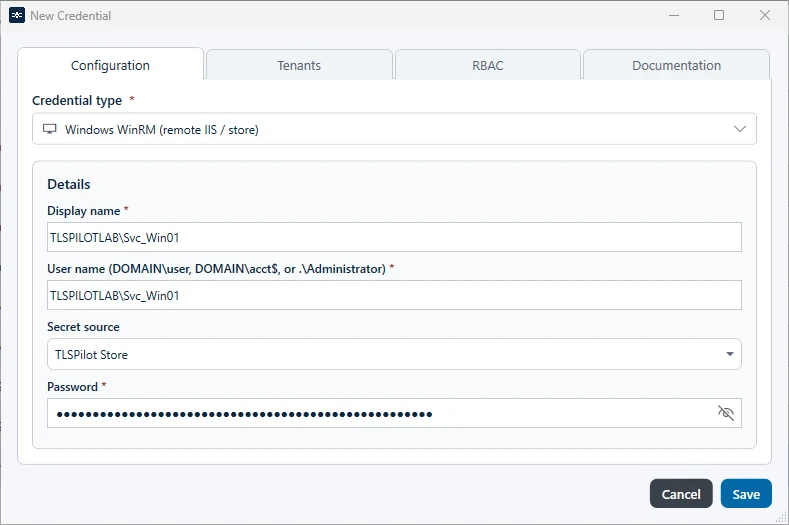
In TLSPilot, the account is stored as a credential of the type Windows WinRM (remote IIS / store). The user name accepts the formats DOMAIN\user, user@domain and .\Administrator, see Figure WinRM credential in the Credentials Manager.