Alerts and logging · 12.3
Logging
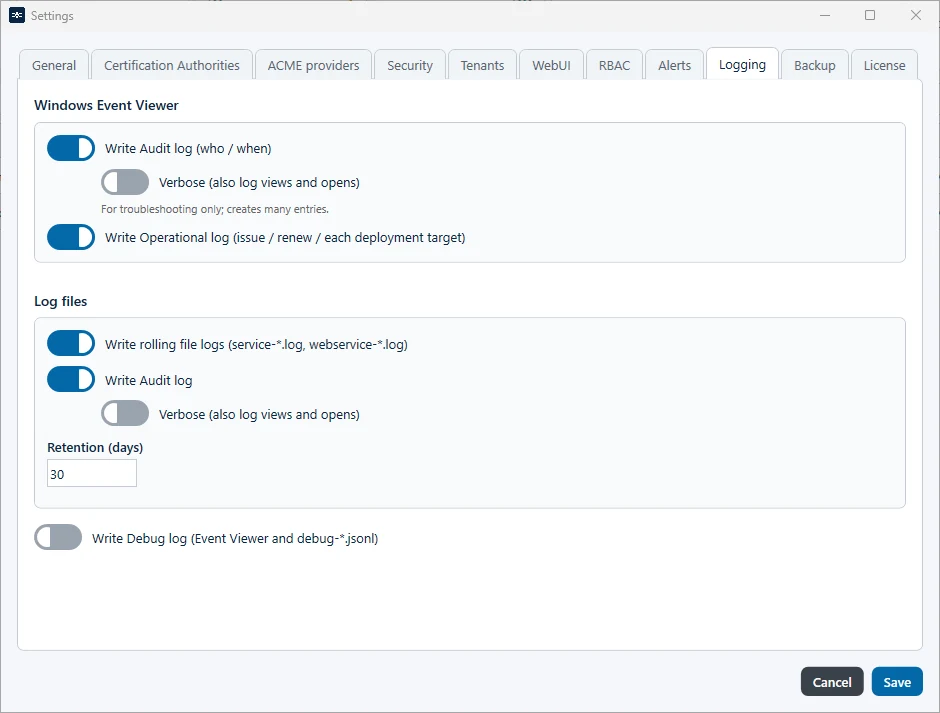
TLSPilot writes its logs to the Windows Event Viewer and to log files. To define what is logged, click Settings… at the bottom right of the Desktop Admin console and open the tab Logging:
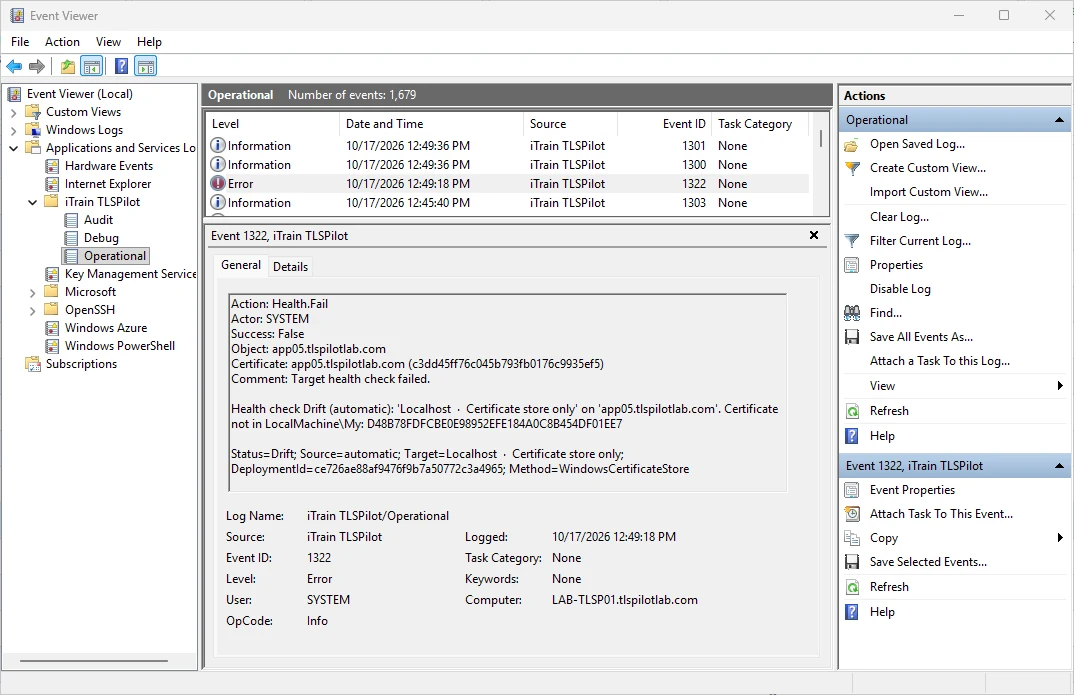
- Windows Event Viewer: The logs are in the Event Viewer under Applications and Services Logs, in the folder iTrain-TLSPilot, divided into the logs Audit, Operational and Debug. Write Audit log records who did what and when. With Verbose (also log views and opens), it also records when someone only views something or opens a dialog. Verbose is for troubleshooting only and creates many entries; turn it off when finished. Write Operational log records issuing, renewing and each deployment target.
- Log files: The files are stored under %ProgramData%\iTrain\TLSPilot\logs\. Write rolling file logs writes the logs of the management service and the WebUI service (service-*.log, webservice-*.log). Write Audit Log writes the audit log as audit-*.jsonl, also with an optional Verbose mode. Under Retention (days), you define how long the audit, debug and operational *.jsonl files are kept, by default 30 days, from 1 to 365 days. service-*.log and webservice-*.log are kept for at most about 30 days, regardless of this value. Increase this value only temporarily if you need information from further back.
- Write Debug log (Event Viewer and debug-*.jsonl): Records much more detail about the processes, both in the Event Viewer and as debug-*.jsonl. It is off until you enable it.
To read the logs in TLSPilot, choose Tools, View logs & audit…. With RBAC, the audit log is shown only to users with audit permission. The retention of the Event Viewer logs is set in the Windows Event Viewer. In the Event Viewer, each entry has an event ID and details such as who started a deployment, for which certificate and whether it succeeded.