
My first deployments · 6.10
Custom Deployment
On this page
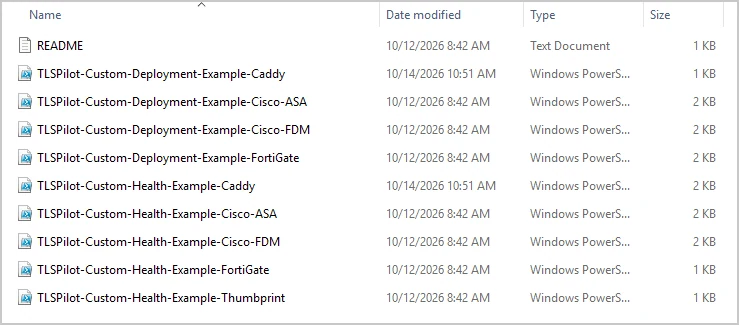
From the Enterprise edition, you can deploy certificates to targets that TLSPilot does not support natively, using your own PowerShell scripts, which can also call other tools, for example to connect to a Linux server via SSH. Example scripts for deployments and Health checks are provided under %ProgramData%\iTrain\TLSPilot\Examples\Custom Deployment Script Examples, for FortiGate, Cisco ASA, Cisco FDM and Caddy, each with a deployment script and a Health check script, plus a Health check script that compares the thumbprint. The examples are provided without support. Any credential type can be used for a custom deployment, for appliances typically Custom / other. This example deploys a certificate to Caddy on a Linux server.
The script runs on the management host as the TLSPilot service account, not over WinRM, so any module or tool it uses, for example an SSH module, must be available to that account. The certificate files for the script are written to a temporary folder that exists only while the script runs.
- Click the tile Credentials on the dashboard to open the Credentials Manager and create an SSH credential for the target as described in chapter Nginx, preferably with a private key.
- Issue a certificate from any issuer as described in chapter My first certificates, for example “caddy.tlspilotlab.com”. In the step Deployments, switch on Automatic deployment and click Add…
- Linked service: Select Custom Deployment at the end of the list.
- Display name, Target host and Credential: Enter a name for the deployment and the name or IP address of the server, and select the credential from step 1. If your script needs the private key as Encrypted PEM, enter a password for it under Key password.
- Shell: Select Windows PowerShell or PowerShell 7 (pwsh). If pwsh.exe is not found, TLSPilot uses Windows PowerShell.
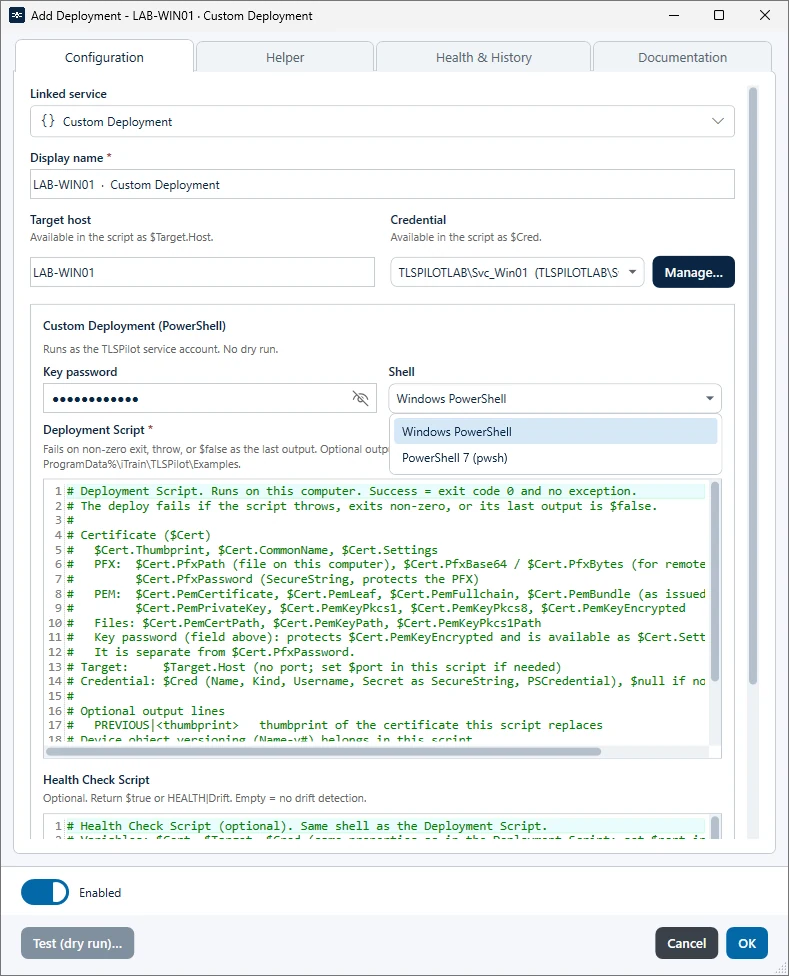
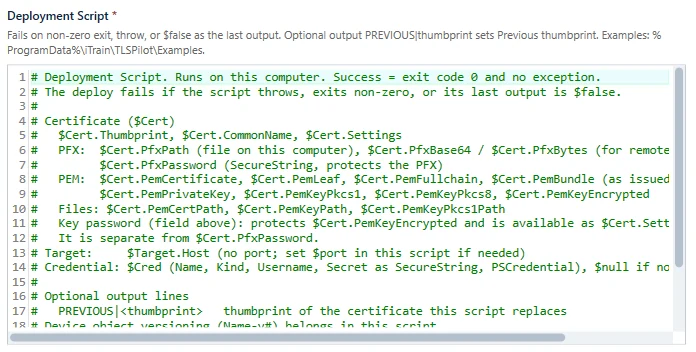
- Deployment Script: Enter the script that deploys the certificate. TLSPilot provides the variables $Cert, $Target and $Cred, see chapter Variables in custom scripts. The deployment fails when the script exits with a non-zero code, throws an error, or its last output is
$false. Text written before that$falseis shown in the result and the history and does not change the decision. The script may run for up to 300 seconds; after that, TLSPilot stops it and the deployment fails with Custom script timed out after 300s.- Previous certificate (optional): TLSPilot cannot read the target of a custom deployment itself. To report the certificate that your script replaced, write the line
PREVIOUS|<thumbprint>withWrite-Output, for exampleWrite-Output "PREVIOUS|$oldThumbprint". TLSPilot shows it as Previous thumbprint in the result, the history and the alert mail. Without this line, the row Previous thumbprint is omitted. The first line that starts withPREVIOUS|counts; the line is evaluated only for the deployment script.
- Previous certificate (optional): TLSPilot cannot read the target of a custom deployment itself. To report the certificate that your script replaced, write the line
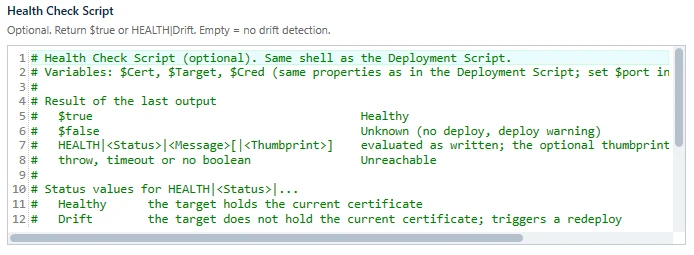
- Health Check Script: Optionally, enter a script that checks whether the certificate is in use. It can use the same variables as the deployment script. TLSPilot evaluates the last output of the script:
$truemeans Healthy,$falsemeans Unknown. A lineHEALTH|Status|Messagewritten withWrite-Output, for exampleHEALTH|Drift|Old certificate bound, sets that status and message; Drift makes the daily cycle deploy the certificate again. Status is Healthy, Drift, Unknown, Unreachable or Skipped. Optionally, add the thumbprint read on the target as fourth field, for exampleHEALTH|Healthy|Bound|<thumbprint>. The firstHEALTH|line takes precedence over$trueor$false. The script may run for up to 75 seconds. If it times out, exits with a non-zero code, throws an error, or ends without$true,$falseor aHEALTH|line, the target is reported as unreachable. If the field is empty, TLSPilot cannot detect drift on this target: the daily cycle deploys it when it does not hold the current certificate, and skips it when it does. The tab of the deployment states this.
- Click OK, complete the remaining steps as described in chapter My first certificates and issue the certificate with Issue now.
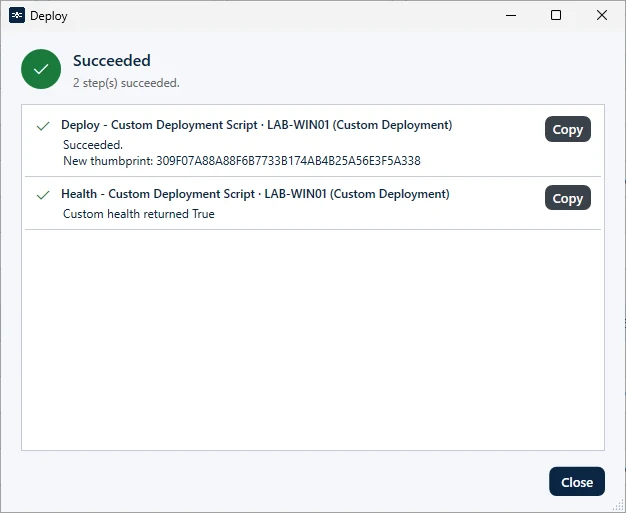
TLSPilot issues the certificate, runs your deployment script and checks the Health with your Health Check Script. If the deployment fails, the result shows the line of the script that caused the error. To correct the script, double-click the deployment in the tab Deployments of the certificate, make your changes, and click OK and Save. Then right-click the certificate, choose Deploy… and confirm with Deploy. This deployment runs immediately, regardless of whether the certificate has been renewed. As the deployment depends on your script and Test (dry run)… is not available for custom deployments, check on the target system that the certificate is in use.
Variables in custom scripts
The following variables are available in the deployment script and in the Health Check Script:
| Variable | Content |
|---|---|
| $Cert.PfxPath | Path of the certificate as PFX file |
| $Cert.PfxPassword | Password of the PFX file, as SecureString |
| $Cert.PfxBase64, $Cert.PfxBytes | The PFX file as Base64 string or as byte array |
| $Cert.PemCertificate | Certificate with full chain in PEM format, same as $Cert.PemFullchain; use $Cert.PemLeaf for the leaf certificate only |
| $Cert.PemPrivateKey | Private key in PEM format |
| $Cert.PemBundle | Full chain and private key, as issued |
| $Cert.PemLeaf | Leaf certificate only |
| $Cert.PemFullchain | Full chain |
| $Cert.PemKeyPkcs1, $Cert.PemKeyPkcs8 | Private key in PKCS #1 or PKCS #8 format. The PKCS #1 properties are $null for ECC keys. |
| $Cert.PemKeyEncrypted | Private key, encrypted with the Key password ($null if no Key password is set) |
| $Cert.PemBundlePkcs1, $Cert.PemBundlePkcs8, $Cert.PemBundleEncrypted | Full chain and private key in PKCS #1, PKCS #8 or encrypted format |
| $Cert.PemLeafBundle, $Cert.PemLeafBundlePkcs1, $Cert.PemLeafBundlePkcs8, $Cert.PemLeafBundleEncrypted | Leaf certificate and private key, as issued or in PKCS #1, PKCS #8 or encrypted format |
| $Cert.PemCertPath, $Cert.PemKeyPath, $Cert.PemKeyPkcs1Path, $Cert.PemBundlePath | Paths of temporary files with the PEM content (fullchain.pem, privkey.pem, privkey-pkcs1.pem, bundle.pem). A matching *Path property exists for every PEM property, for example $Cert.PemLeafPath, $Cert.PemKeyPkcs8Path or $Cert.PemLeafBundleEncryptedPath. For a variant that does not exist, the *Path property is an empty string. |
| $Cert.Thumbprint, $Cert.CommonName | Thumbprint and Common Name of the certificate |
| $Cert.CertificateId, $Cert.TargetName, $Cert.CredentialTarget | TLSPilot ID of the certificate, display name of the deployment target and name of the selected credential |
| $Cert.Settings | Settings of this deployment as hashtable, for example host, shell and commonName, without the script bodies |
| $Cert.Settings.keyPassword | Key password of this deployment, as string, if one is set. It protects $Cert.PemKeyEncrypted and is separate from $Cert.PfxPassword, the password of the PFX file. |
| $Target.Host | Target host, without port. Define a port in the script if required. |
| $Cred | Selected credential. $null if no credential is selected. |
| $Cred.Name | Name of the credential |
| $Cred.Kind | Kind of the credential, for example ssh, winrm or custom |
| $Cred.Username | User name of the credential |
| $Cred.Secret | Secret of the credential, as SecureString. The secret is only available while the script runs and is not stored in the settings. |
| $Cred.PSCredential | PSCredential with user name and secret, for cmdlets with a -Credential parameter. $null if the credential has no user name. |
Aliases are also available: $Certificate, $TargetHost, $Credential, $PfxPath, $Thumbprint, $PemCertPath, $PemKeyPath, $PemBundlePath and $CredentialTarget.
Return values of the Health Check Script: TLSPilot sets the health of the target from the output of the script.
| Output of the script | Health |
|---|---|
| $true | Healthy |
| $false | Unknown. The cycle does not deploy and raises a deploy warning. |
| HEALTH|<Status>|<Message>[|<Thumbprint>] | Sets the health to Status, with the Message. Any other Status counts as Unreachable. The optional fourth field is the thumbprint that the check read on the target. The first HEALTH| line takes precedence over $true and $false. |
| HEALTH|Healthy|<Message> | The target holds the current certificate. |
| HEALTH|Drift|<Message> | The target does not hold the current certificate. The cycle deploys the certificate again. |
| HEALTH|Unknown|<Message> | The state could not be determined. The cycle does not deploy and raises a deploy warning. |
| HEALTH|Unreachable|<Message> | The target or the check could not be reached. |
| HEALTH|Skipped|<Message> | The check was not performed. |
| throw, non-zero exit code, timeout (75 seconds), no Boolean and no HEALTH| line | Unreachable |
| Empty Health Check Script | Skipped. TLSPilot cannot detect Drift. The daily cycle deploys the target when it does not hold the current certificate, and skips it when it does. |