
My first deployments · 6.7
Nginx
On this page
This example deploys a certificate to an Nginx server on Linux. Apache and other Linux services are configured the same way. The management host must reach the server via SSH, see chapter Network connectivity.
- Open the tab Deployments of the certificate as described in chapter Local store, switch on Automatic deployment if it is not yet on, and click Add…
- Linked service: Select Nginx.
- Target host: Enter the name or IP address of the server.
- Credential: Select an SSH credential. If none exists yet, click Manage…, click Add… in the Credentials Manager and, under Credential type, select Linux SSH (Nginx / Apache) in the section Servers. The list is grouped into the sections Cloud, DNS, Servers, Appliances, Certificate authority, Notifications and Secrets and other; type in the filter box to narrow it down. Enter a Display name, the SSH user name and, under Password or private key PEM, a password or a private key in PEM format. TLSPilot detects automatically which of the two you entered. Click Save and close the Credentials Manager. The credential is then selected automatically.
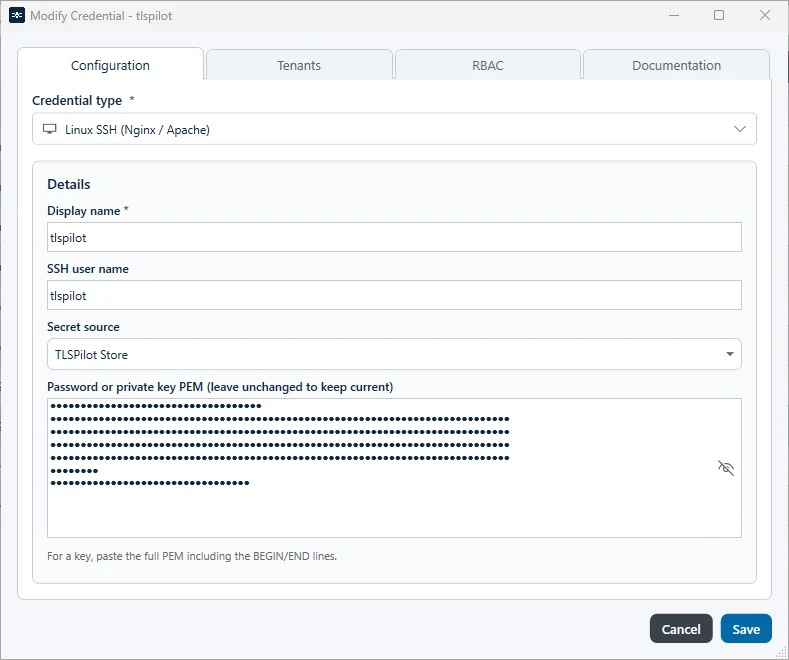
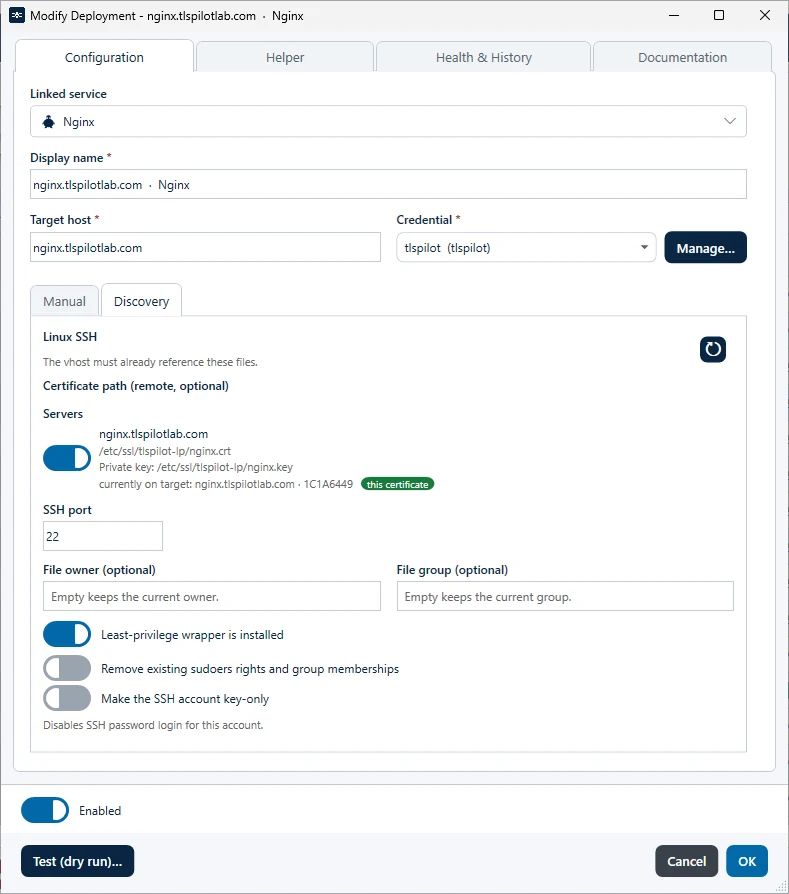
- Tab Discovery: Open the tab Discovery. Under Servers, TLSPilot shows the server with the certificate path, the private key path and the certificate currently on the target. Switch it on. If you leave the paths empty in the tab Manual, TLSPilot uses the default paths under /etc/ssl/tlspilot/. TLSPilot only writes the files, so the Nginx configuration must already reference them.
- SSH port: Keep the default port 22, unless SSH is configured on a different port on the server.
- File owner (optional) and File group (optional): Leave them empty, unless the files must belong to a specific user or group.
- Least-privilege wrapper is installed: Switch it on once the server has been prepared with the helper script in the next step. If the toggle is off, TLSPilot deploys directly without the wrapper. On a hardened host, where the SSH user may write only through the wrapper, the deployment then fails. If the toggle is on and the wrapper is not installed on the host, the deployment also stops with an error.
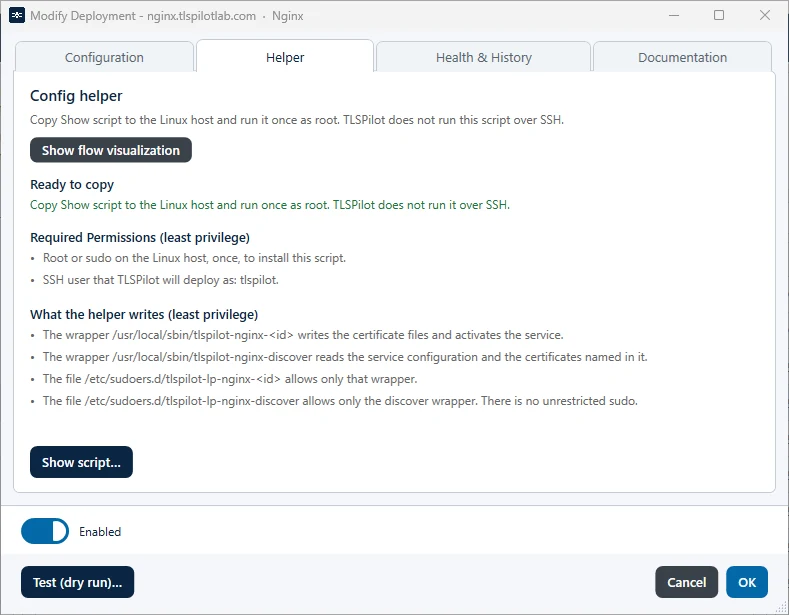
- Prepare the Linux host: Open the tab Helper and click Show script… The script prepares the server once for this deployment. In simple terms:
- It checks that the SSH user exists. The script does not create this user; create it first with key login, see chapter SSH for Linux targets.
- It installs a small program, the least-privilege wrapper, for exactly this deployment. The SSH user may run only this wrapper with administrator rights, and the wrapper can do only what this deployment needs: write the certificate files and reload the service. A second wrapper only reads the service configuration and the certificates named in it, for the tab Discovery. The user gets no further rights on the server.
- At the end, it checks with
sudo -lthat the SSH user may run only the TLSPilot wrappers. If the user has further sudo rules or is a member of the groupsudo,wheeloradmin, the script stops with an error.
- Click Copy, copy the script to the Linux host and run it once as root. TLSPilot does not run this script over SSH. Each deployment gets its own wrapper, so run the script of each deployment once.
- Two further toggles in the tab Configuration extend the script: Remove existing sudoers rights and group memberships and Make the SSH account key-only. Both are off by default. Leave them off unless you need them, see chapter SSH for Linux targets.
- Click Test (dry run)… and correct the settings if it reports an error.
- Click OK and then Save. When asked whether to deploy now, click Yes.
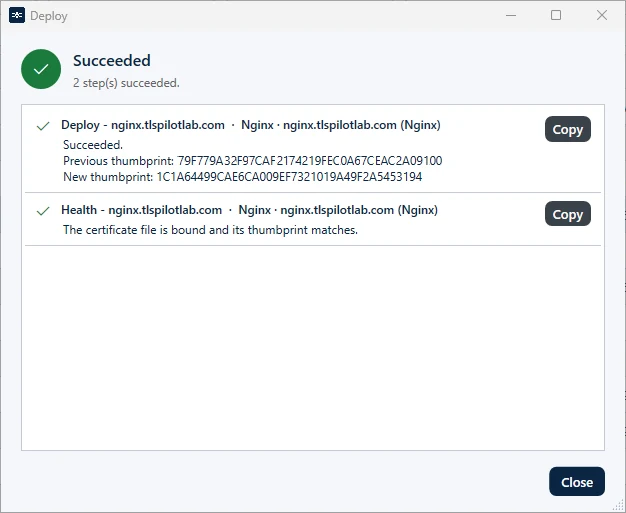
TLSPilot copies the files to the server through the wrapper, reloads Nginx and then checks the Health: the certificate file is bound and the certificate that the server delivers matches. Click Close once the deployment has finished.
Apache works exactly the same way as Nginx, including the helper script and the toggle Least-privilege wrapper is installed: select Apache under Linked service. HAProxy uses one PEM file that contains the certificate, the private key and the chain, and the HAProxy configuration must reference this file. Tomcat uses a keystore file with an alias and a password, which must match the Tomcat configuration.