
Certificate options · 13.1
Change the issuer or name of a certificate
On this page
Tutorial 20: Certificate Options · 6:24Open on the Tutorials page
TLSPilot does not take over certificates that were created outside TLSPilot. To manage such a certificate, issue it again in TLSPilot and deploy it to the targets, which replaces the existing certificate. From then on, TLSPilot also renews it.
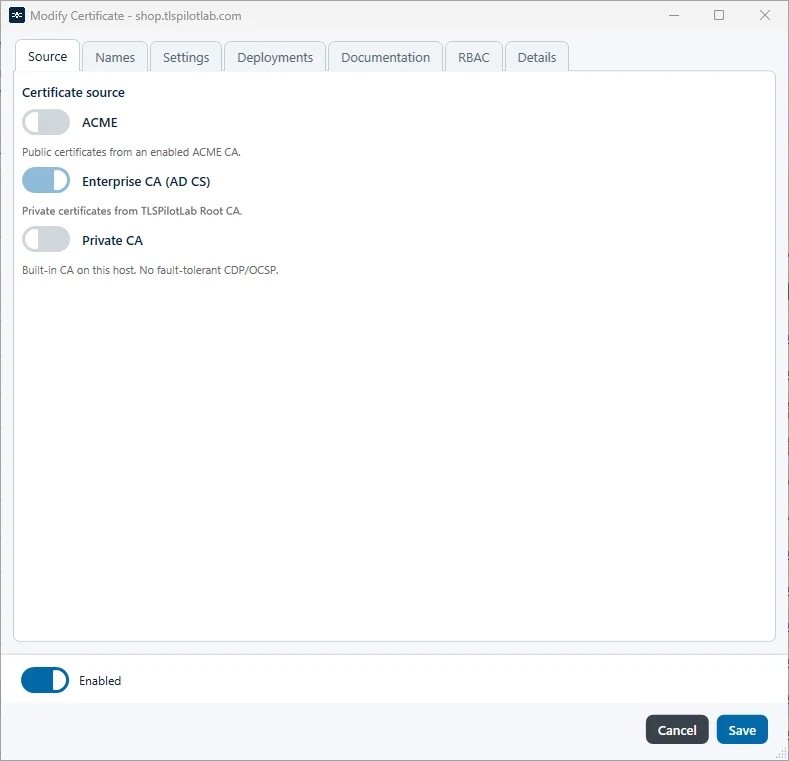
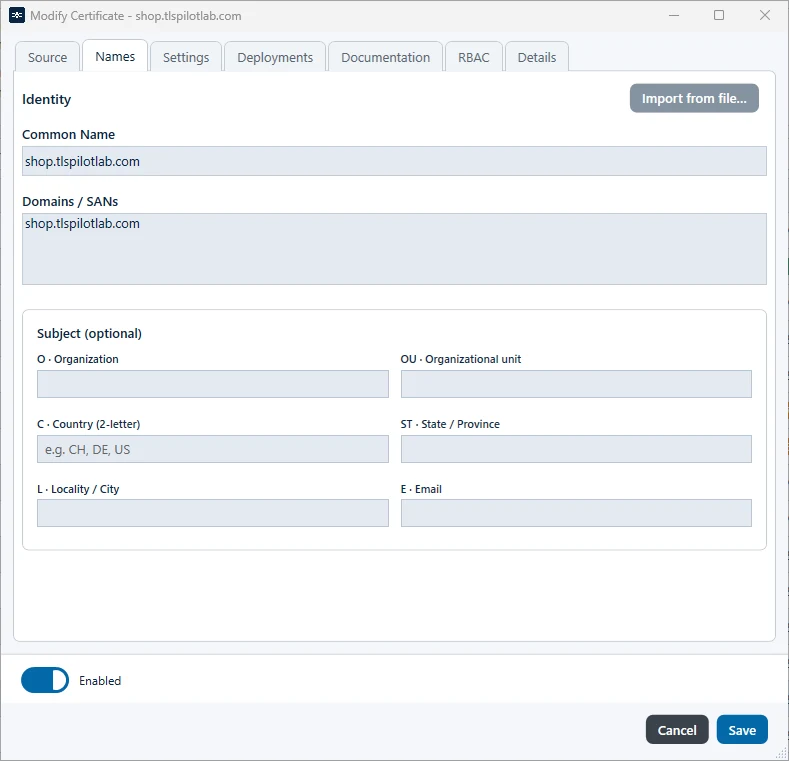
After a certificate has been issued, its names and its source cannot be changed. The fields on the tabs Names and Source are locked; you can only copy their content, see Figure Tab Source of an issued certificate and Figure Tab Names of an issued certificate. To change the names or the source of a certificate that already has deployments:
- Create a new certificate with the new source or names, as described in chapter My first certificates, and adjust the remaining settings accordingly. Skip the deployments.
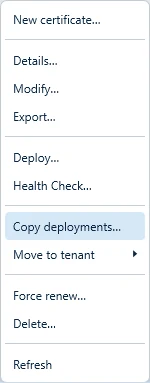
- Right-click the original certificate and choose Copy deployments…
- Under Deployments, each deployment is listed as <Display name> · <Host> · <Deployment type>. Select the deployments to copy, and under Destination certificates, select one or more certificates to copy them to. Deployments that already exist on a destination certificate with the same method and host are skipped.
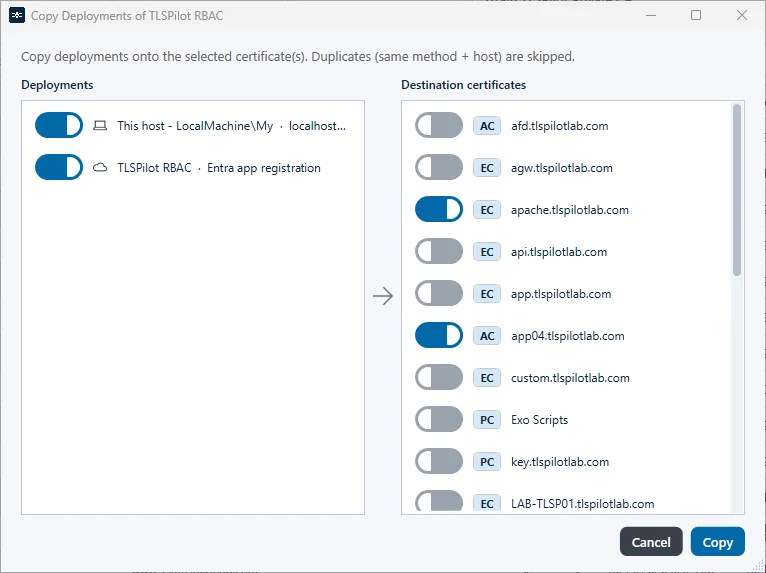
- Click Copy.
- Right-click the new certificate, choose Deploy… and confirm with Deploy to deploy it to the targets.
You can then delete the original certificate.